TLG-32 · WEB · Recovered Shelf IV
Inkblood
Inkblood
Free browser hack and slash game — play instantly, no download.
- Free
- Browser
- No download
- Controller
What is Inkblood?
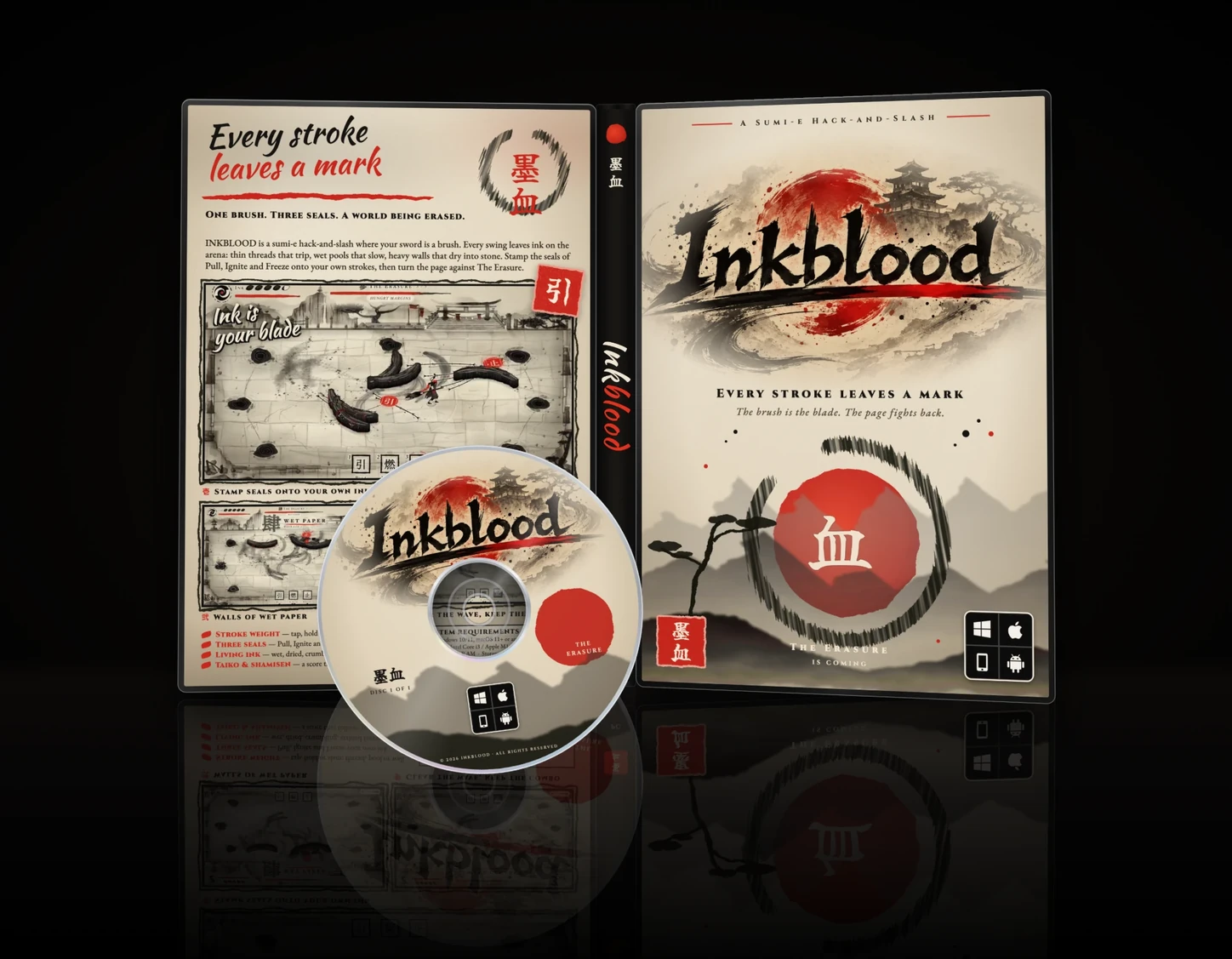
Inkblood is a free desktop-browser hack and slash drawn as sumi-e: black ink on rice paper with a single vermilion accent. Your sword is a brush, and every stroke you swing stays on the paper and changes the fight. Thin threads trip enemies, wet pools slow and skid them, and heavy dried ink becomes a wall. Three Kanji seals stamp onto ink you have already painted. Five levels, nine enemy kinds and a boss called The Erasure.
The brush is the whole mechanic. Hold and release left click to swing: a tap leaves a thin thread that trips whatever crosses it, a short hold leaves a wet pool that halves speed and makes steering skid, and a long hold leaves heavy ink that dries into a temporary wall. Swinging quickly dries the brush out, so the marks get thinner until you let it recover.
The three seals are the second layer. Arm Pull, Ignite or Freeze with 1, 2 or 3, hover a mark you already painted to preview what it will do, and stamp it with left click. The arena you drew a minute ago is the resource you spend.
Five levels end at The Erasure. Between levels you pick one of fourteen stackable blessings, and each run finishes with a replay scroll that paints back everything you drew. The audio is procedural taiko and shamisen. Play in a desktop browser with keyboard and mouse, or with an Xbox, PlayStation or standard PC controller; there are no touch controls, so phones see a desktop-browser notice.
How do you play Inkblood?
Controls
- WASD / arrows move
- Mouse aims
- Hold and release LMB to swing: tap thread, hold pool, long hold wall
- Space or Shift dodge
- 1 2 3 arm Pull / Ignite / Freeze, LMB stamps
- RMB or Esc cancel a seal
- P pause / M mute / H help
- Pad: sticks move and aim, RT swings and stamps, A dodges, X Y B arm seals
Cassette tips
- WASD moves, mouse aims. Hold and release left click to swing the brush-sword.
- Your ink stays on the paper: thin strokes trip, wet pools slow, dried ink walls block.
- Stamp the Pull, Ignite and Freeze seals onto ink you have already painted.
- Five levels, nine enemy kinds and a boss. Desktop keyboard and mouse, or a controller.
How do I attack in Inkblood?
Hold left click and release to swing the brush-sword. A tap leaves a thin thread, a short hold leaves a wet pool and a long hold leaves heavy ink that dries into a wall. The mark stays on the paper and keeps working after the swing.
What do the three seals do?
Press 1, 2 or 3 to arm Pull, Ignite or Freeze, hover ink you have already painted to preview the effect, then left click to stamp it. Right click or Escape cancels.
How long is Inkblood?
Five levels with nine enemy kinds, a boss called The Erasure, a blessing picked between each level and an epilogue. A run ends on a replay scroll of everything you drew.
Can I play Inkblood on my phone?
No. Inkblood is desktop-browser only and needs a keyboard and mouse or a controller. Mobile visitors see a desktop-browser notice instead of the game.
Does Inkblood support controllers?
Yes. Xbox, PlayStation and standard PC gamepads work: sticks move and aim, RT swings and stamps, A dodges and X, Y and B arm the three seals. On-screen prompts switch to your pad's own button names.